Appearance
Transfer notes between accounts
CurrentTransfer your meeting notes between Granola accounts or email addresses. Keep your notes when switching accounts.
What is note transfer?
Note transfer moves all your meeting notes and their transcripts from one Granola account into another. This includes notes older than 30 days, even if they aren't visible in the app due to the free plan's 30-day limit. You do not need to upgrade your old account before transferring. This feature is for transferring between two accounts that use different email addresses - for example, switching to a new email address, moving from a personal account to a work account (or the other way around), or consolidating two accounts into one. A verification code is sent to the old account's email address, so both accounts must have different emails.
TIP
If you have multiple workspaces under the same email address (for example, a personal workspace and an organization workspace), this feature is not the right one - use Transfer notes between workspaces instead.
You must be logged into the account you want to receive the notes and have access to the old account's email to receive the verification code. Notes are moved (not copied): the old account will have no notes left after the transfer.
How to transfer notes
Note transfer is only available on the Granola desktop app (macOS and Windows). You cannot transfer notes from the iPhone app.
Follow these steps to transfer your notes from an old account to a new one:
Log into your new Granola account (the account you want to transfer notes to)
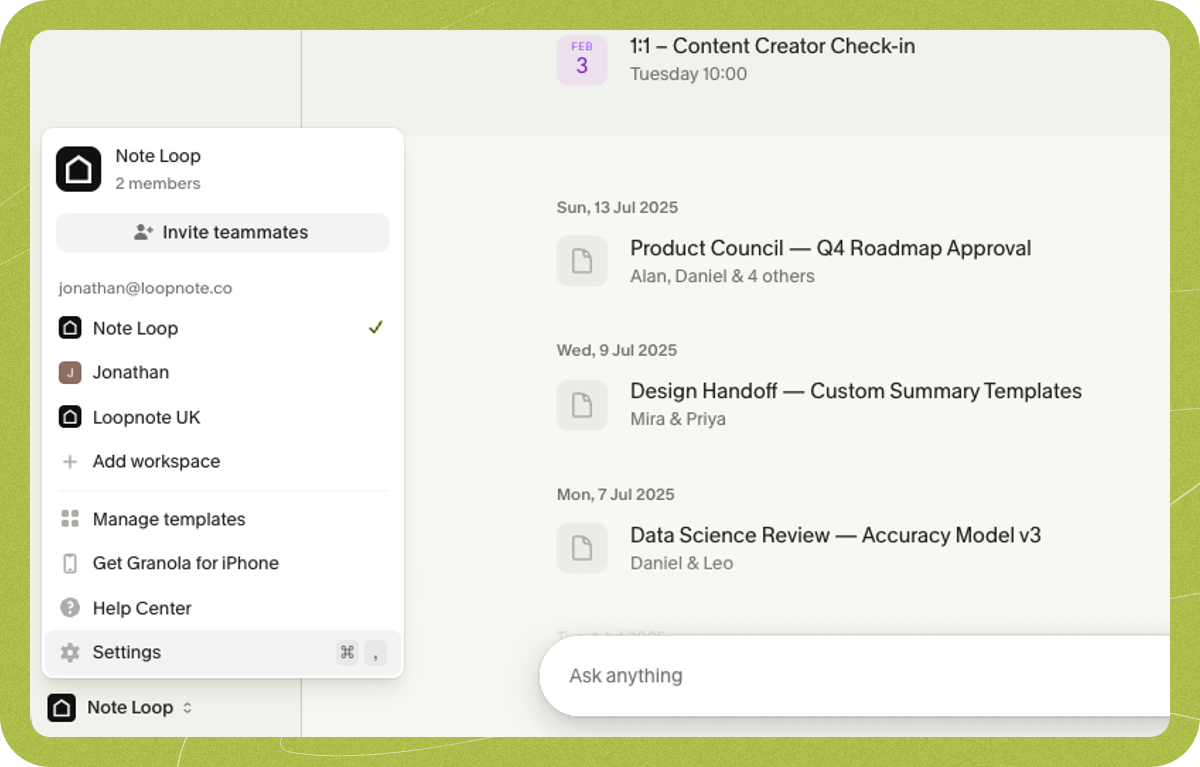
Click on your workspace name in the bottom left corner of the app
Click Settings
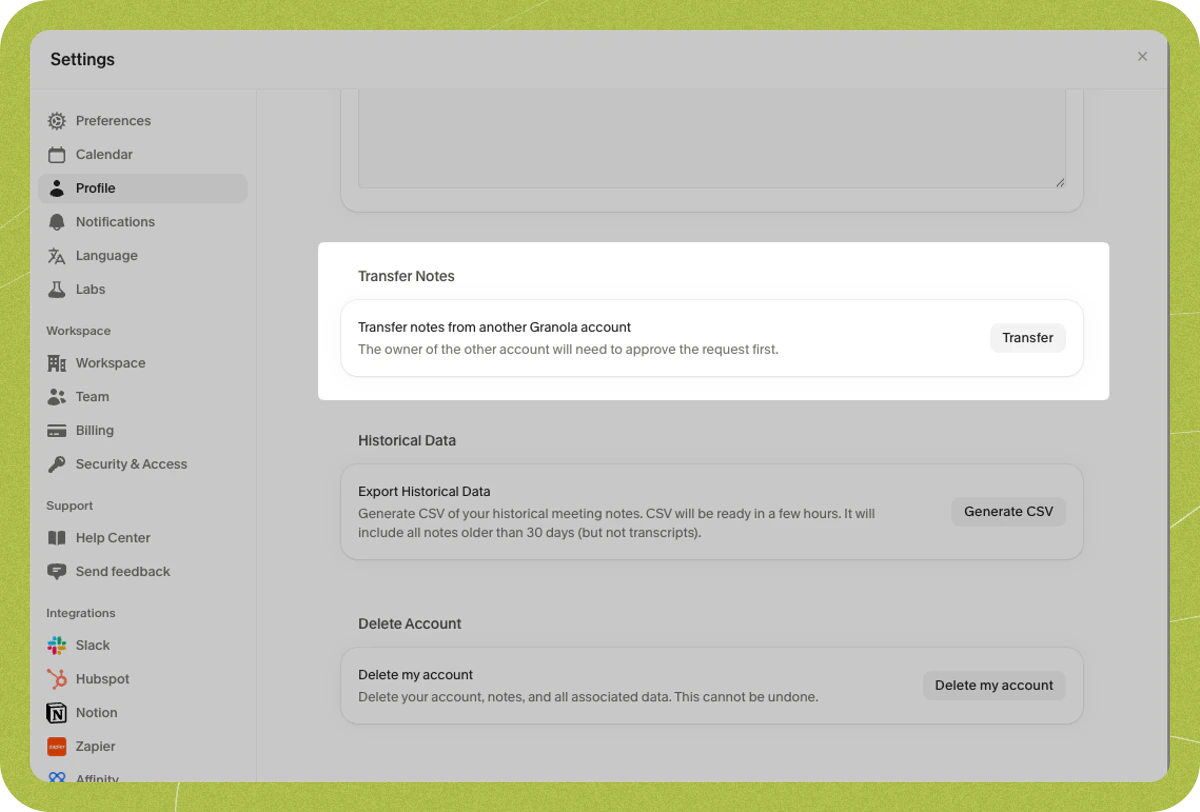
Click on Profile in the settings menu
Scroll down to the section called "Transfer notes from another Granola account"
Enter your old account's email address
Check your old email inbox for a verification code. The code expires 10 minutes after being sent.
Enter the verification code to confirm you own the old account
Once verified, your notes will automatically transfer to your new account. Your notes will be moved (not copied), so your old account will no longer contain any notes.
There is a 1-hour cooldown between transfer requests. If you need to try again, wait at least 1 hour before submitting a new request.
Important limitations
Before transferring your notes, be aware of what doesn't transfer with them.
Subscriptions - Your subscription plan stays with your old account. You'll need to set up a new subscription in your new account to continue accessing premium features like transcriptions.
Shared folders - Folders where you are the only member transfer with your notes. Folders shared with other people do not transfer - you'll need to rejoin or recreate those in your new account.
Troubleshooting
Transfer not working
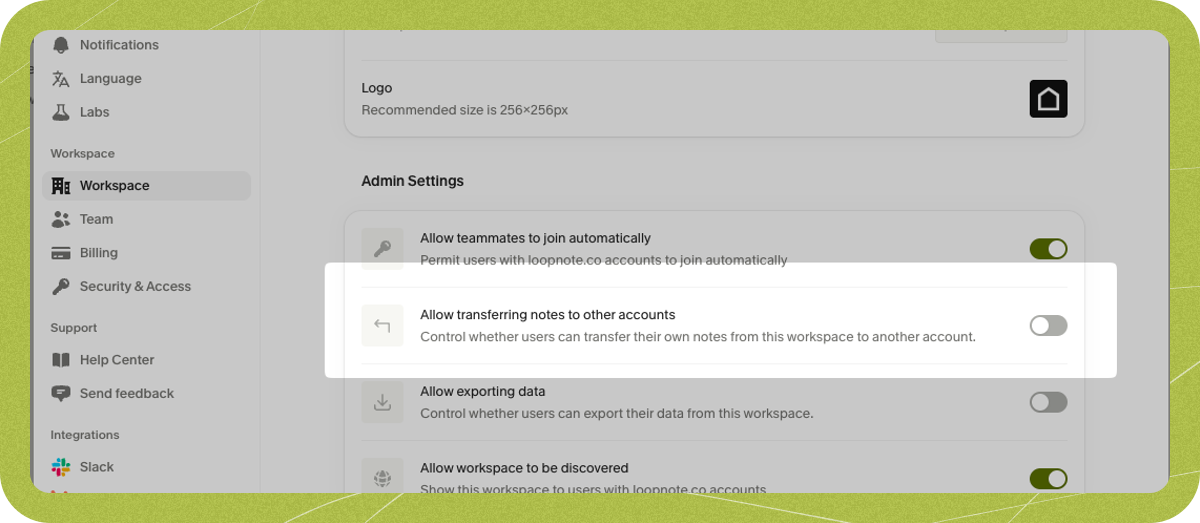
If you're part of a company workspace, your workspace admin may have disabled note transfers. There are two workspace settings that control this feature, and both must be enabled. They are found on the same page at Settings > Workspace > General > Data export permissions:
- Allow moving notes to other workspaces - this is the prerequisite setting and must be enabled first.
- Allow transferring notes to other accounts - this setting is unavailable until "Allow moving notes to other workspaces" is enabled.
Check with your admin to make sure both settings are turned on.
Verification email not arriving
If you're not seeing the verification email in your inbox, check your email's Updates, Promotions, and spam folders. Some email providers may also quarantine the message - check any quarantine or junk folder your provider offers. If you've made multiple attempts, remember to wait at least 1 hour between requests before trying again.
New account doesn't exist yet
You must be logged in with the new account to initiate the transfer from it. If you haven't created a Granola account with the new email address, you'll need to sign out, and then log into the new email to create a new account for it. You can then start the transfer from there. Note changing or creating workspaces is a separate action and this functionality must be done between accounts (i.e. between different email addresses).
Don't have access to old email
You must have access to your old email address to verify ownership and complete the transfer. For privacy and security reasons, there's no alternative verification method available.
Transfer limit reached
Each account can complete up to 3 note transfers. Once this limit is reached, you won't be able to transfer additional notes into that account. Each completed transfer request counts toward this limit, even if no notes were actually moved. If you encounter this issue, contact us at hey@granola.so and we can get you sorted.